


 Track
Track
 Login
Login




Now you can enjoy TVBAnywhere+ with Ultra & Ulti Box
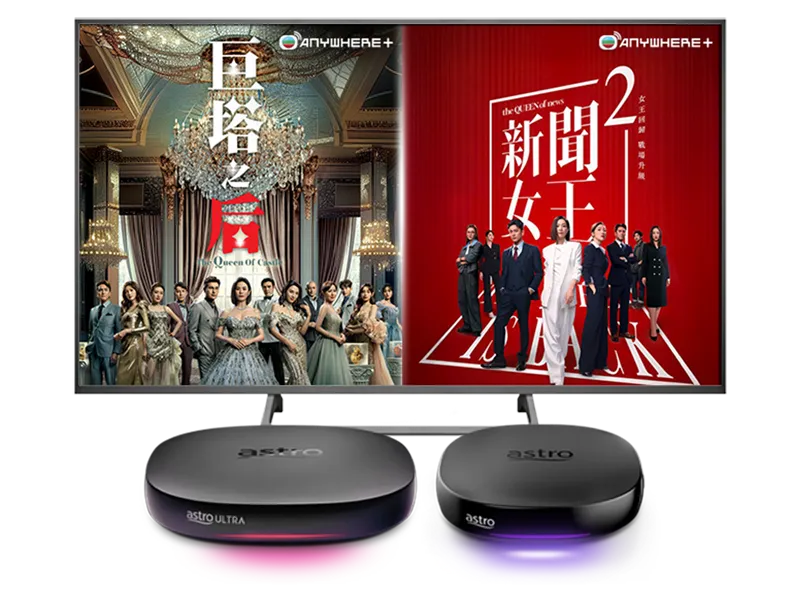
Stream the best of TVB content with Astro Ultra & Ulti Box!






Watch TVBAnywhere+ on your Ultra & Ulti Box now!

Step 1
Watch TVBAnywhere+ on your Ultra & Ulti Box now!

Step 2
Sign in with Astro ID and pair by scanning the QR code on your TV

Step 3
Yay! You can start streaming now
Subscribe to monthly TVBAnywhere+ plans to upgrade your existing pack. Cancel anytime.
Frequently Asked Questions
TVBAnywhere+ is the global streaming app from Television Broadcasts Limited (TVB) and is available as an add on for all Astro customers. It offers a vast library of over 40,000 hours of Chinese entertainment, including the latest drama series, variety shows, evergreen classics, and unlimited TVB originals. Customers can enjoy these shows anytime, anywhere.
Key features include:
- Up to two concurrent streams per account
- Watch on the big screen via Astro’s Ultra/Ulti Box, Android TVs, and selected Samsung and LG Smart TVs.
- Subtitles and dubbing in multiple languages: major dramas are available in Traditional Chinese, Simplified Chinese, English, Bahasa Malaysia and Bahasa Indonesia.
Starting 20 January 2026, all Astro customers will have the option to add on the TVBAnywhere+ app to their existing subscriptions.
Plan | Content | Concurrency | Resolution | Supported Platform | Downloads |
VOD Zone | Latest TVB episodes available within one hour of their Hong Kong premiere | 2 | Full HD | Watch on the TVBAnywhere website, Android TV, Samsung TV, LG TV, Chromecast, or Astro’s Ultra/Ulti Box | Up to 100 episodes |
Channel Zone | 5 LIVE TVB channels with up to 3 hours of playback | 2 | Full HD | Watch on the TVBAnywhere website, Android TV, Samsung TV, LG TV, Chromecast, or Astro’s Ultra/Ulti Box | |
Premium | Combination of both VOD Zone & Channel Zone | 2 | Full HD | Watch on the TVBAnywhere website, Android TV, Samsung TV, LG TV, Chromecast, or Astro’s Ultra/Ulti Box | Up to 100 episodes |
Starting 20 January 2026, all Astro customers can add on the TVBAnywhere+ app to their subscription via their Ultra/Ulti Box, the My Astro app or visit
astro.com.my.
Follow the steps below to access the TVBAnywhere+ app on your Ultra/Ulti box:
- Step 1: On the Home menu, go to the app rail and select TVBAnywhere+. A screen with Pair TVBAnywhere+ TV App and a QR code will appear.
- Step 2: Scan the QR code with your mobile device. This action will open the TVBAnywhere+ login page on your phone.
- Step 3: Click on the Astro logo from the partner picker list and login with your Astro ID.
- Step 4: The TVBAnywhere+ app will now launch. Select the ‘Me’ icon to open your profile.
- Step 5: Choose Pair with TV App on the profile page.
- Step 6: A pairing code will appear on your TV. Enter this code on your mobile device and click OK. The TV screen will refresh, and the TVBAnywhere+ homepage will appear.