


 Track
Track
 Login
Login


Service Currently Not Available (SCNA) - HD enabled Box
If an error message on your TV has one of the following keywords:
- Channels are temporarily unavailable due to bad weather.
- Service Currently Not Available
- SCNA
- (Code: SCNA)
You can proceed with below troubleshooting if the weather is good. Otherwise, you may try again later.
STEP 1: Check Weather Conditions
If the weather is bad, wait until it clears before proceeding.
STEP 2: Access STB Diagnostics
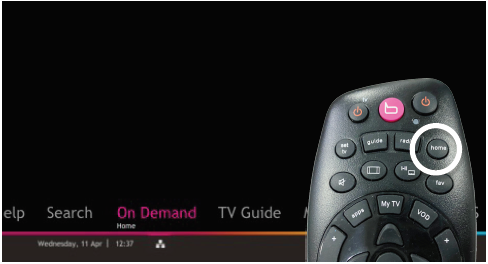
2a. Press the Home button on your Astro remote.
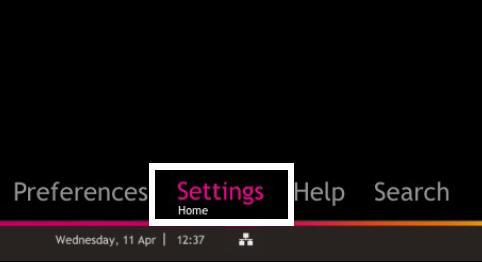
2b. Navigate to Settings and press OK.
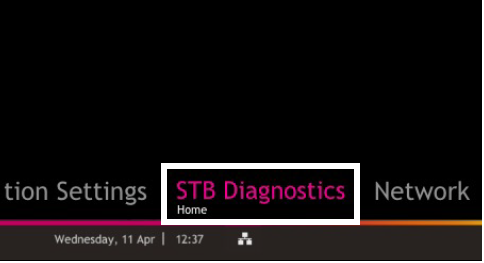
2c. Navigate to STB Diagnostics and press OK.
STEP 3: Check Signal Strength
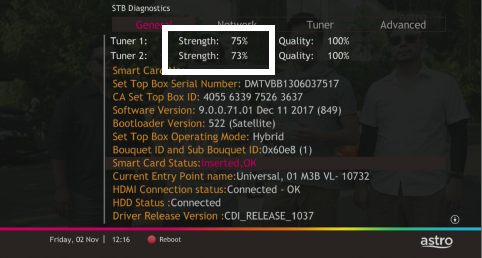
Refer to the signal strength % shown on the top left of your screen.
If it is 65% or higher, please take the screenshot and submit your Feedback Form.
If it is below 65%, please go to Step 5.
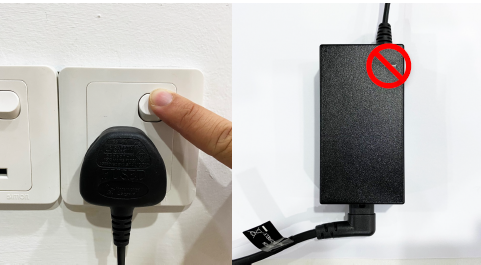
STEP 4: Power Off the Box
Switch off the power for your box and make sure that the adapter’s power light is off.
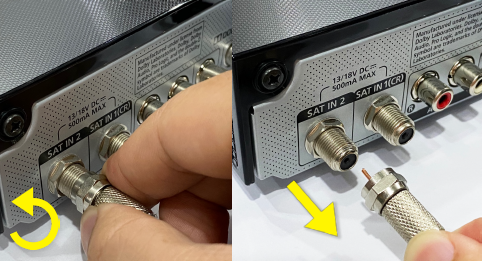
STEP 5: Reconnect Satellite Cable
Unscrew the satellite cable from the box and pull it out.
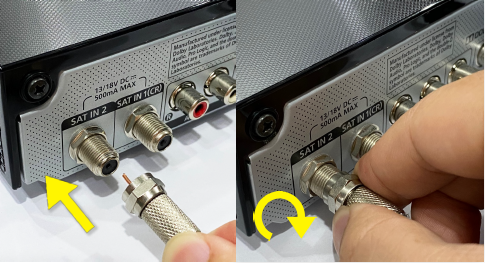
Plug the satellite cable back into the box and screw it back securely.
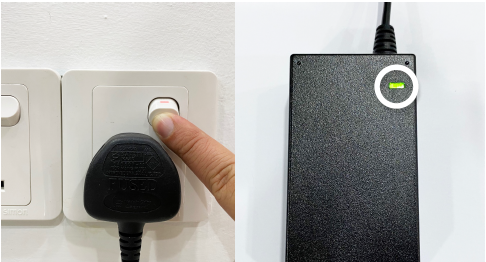
STEP 6: Power On the Box
Switch on the power for your box and make sure that the adapter’s power light is on.
Please wait for 5 minutes.
STEP 7: Contact Astro Support
If issue persist, please submit the issue on our Feedback Form and attach a picture of your General tab of the STB Diagnostics for assistance or chat with us via WhatsApp at 03-9543 3838.
Centralised Dish
If your Astro Box is connected to your apartment or condo building's centralised dish and the issue persists, please contact your respective Building Management before reaching out to our agents.
Similar Articles

