


 Track
Track
 Login
Login


Unable to play Video (HDCP Failed) - HD enabled Box
“If your Astro box displays an error message on your TV that says:
"HDCP copy protection failed. Please ensure that your TV and HDMI cable are HDCP approved (60)"
Error code: 60
Try the troubleshooting steps below:
STEP 1
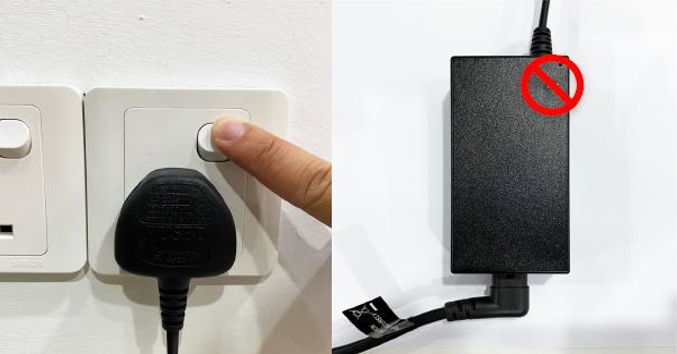
Switch off the power of your box and make sure that the adapter’s power light is off.
STEP 2
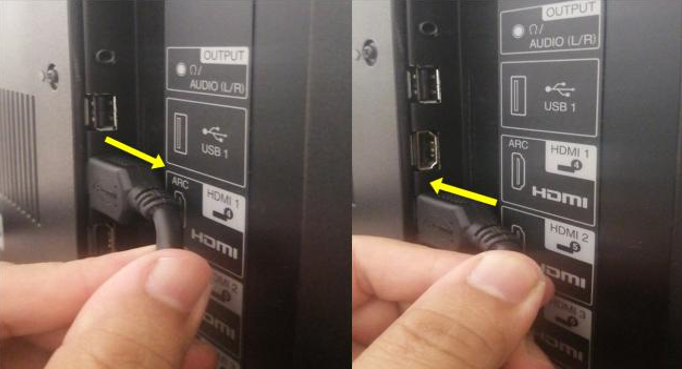
Unplug the HDMI cable from your TV and plug it back in securely to other available HDMI port.
STEP 3
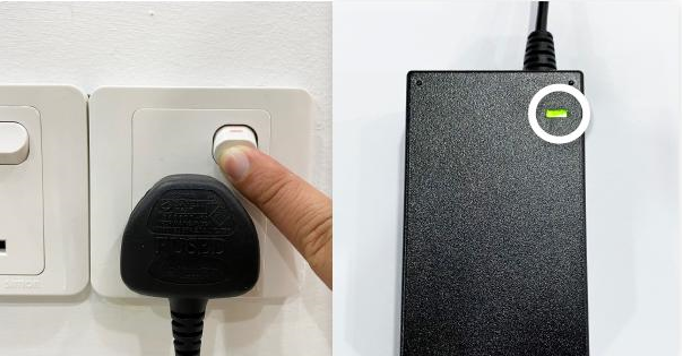
Switch on the power for your box and make sure that the adapter’s power light is on.
Please wait for 5 minutes.
STEP 4
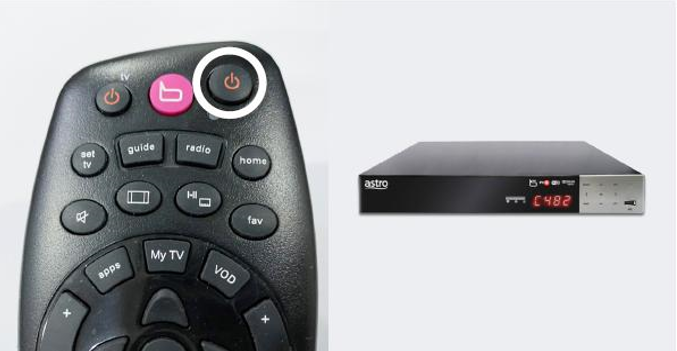
Turn on your box. Do select the correct TV input.
You should no longer be experiencing this problem.
Similar Articles

