


 Track
Track
 Login
Login


Request e-Invoice
1. Open/Download the My Astro app or visit My Astro web.
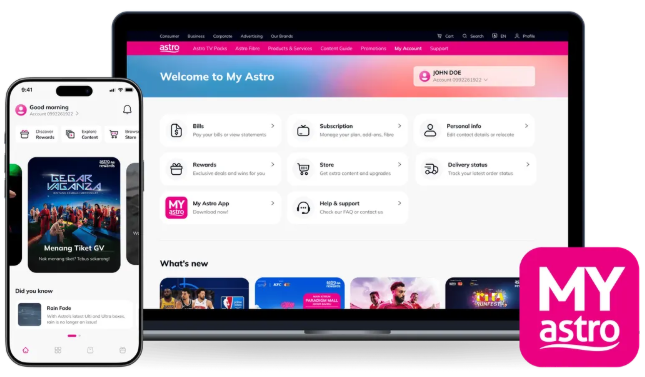
2. Login with your Astro ID.
3. Go to Account.
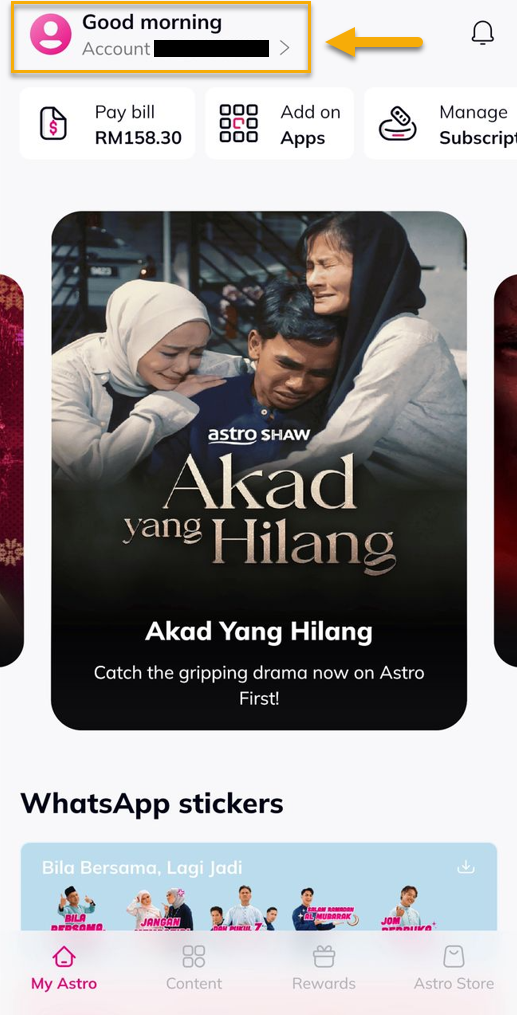
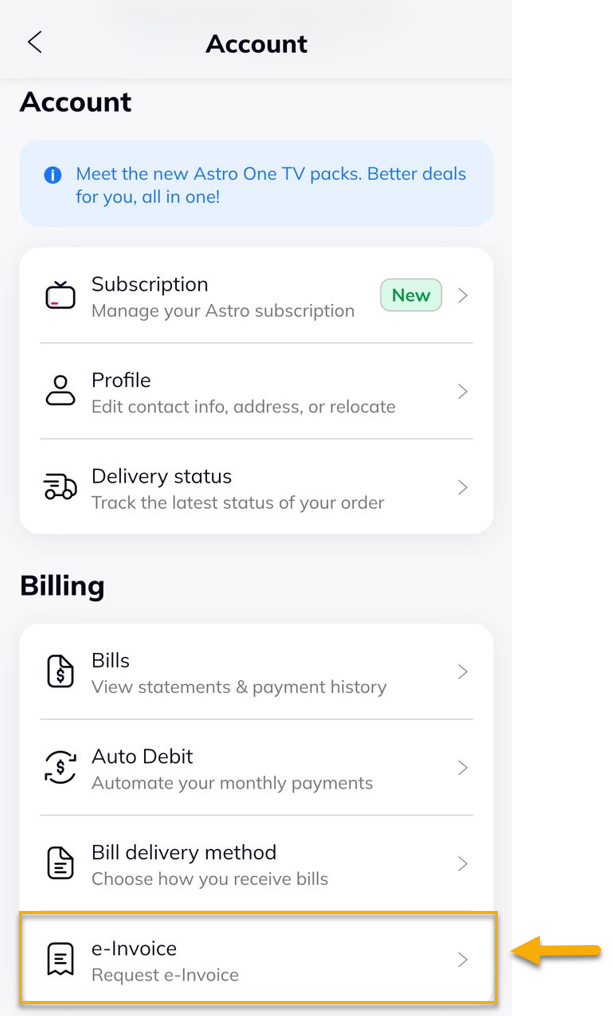
4. Under Billing, tap on e-Invoice.
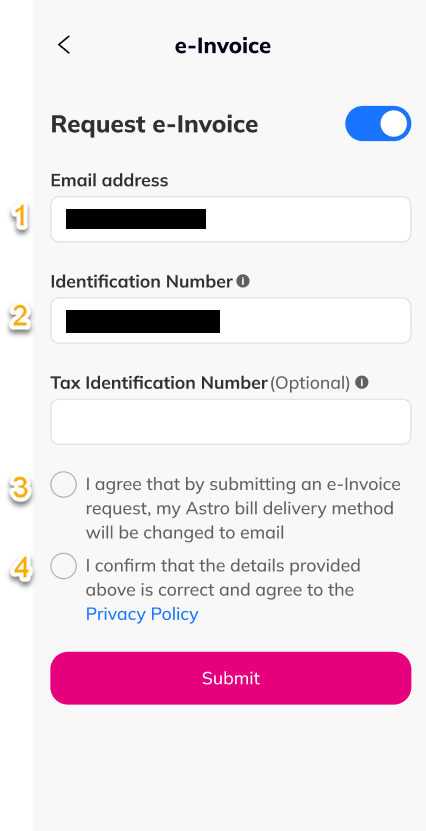
5. Toggle the button to enable the e-Invoice, fill in the require details and tap 'Submit'.
6. Tap 'Confirm'.

7. Select 'Approve' to update e-invoice.

8. A successful notification will be displayed.

Similar Articles

