


 Track
Track
 Login
Login


Remove channel from favourite list - Ultra Box / Ulti Box
STEP 1
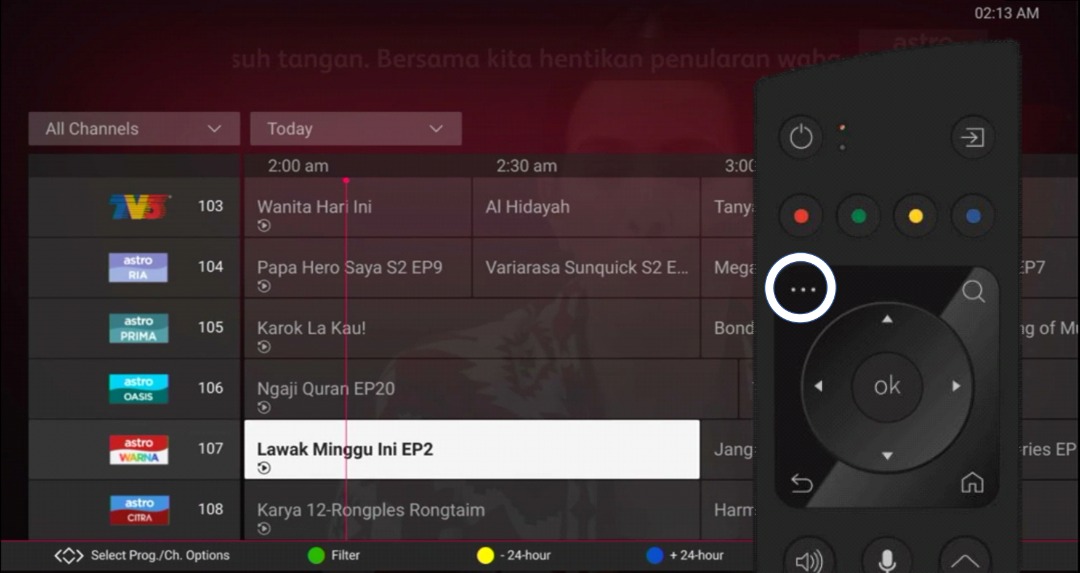
On your remote, press the ... button and the Channel Guide page will be displayed on your screen.
STEP 2
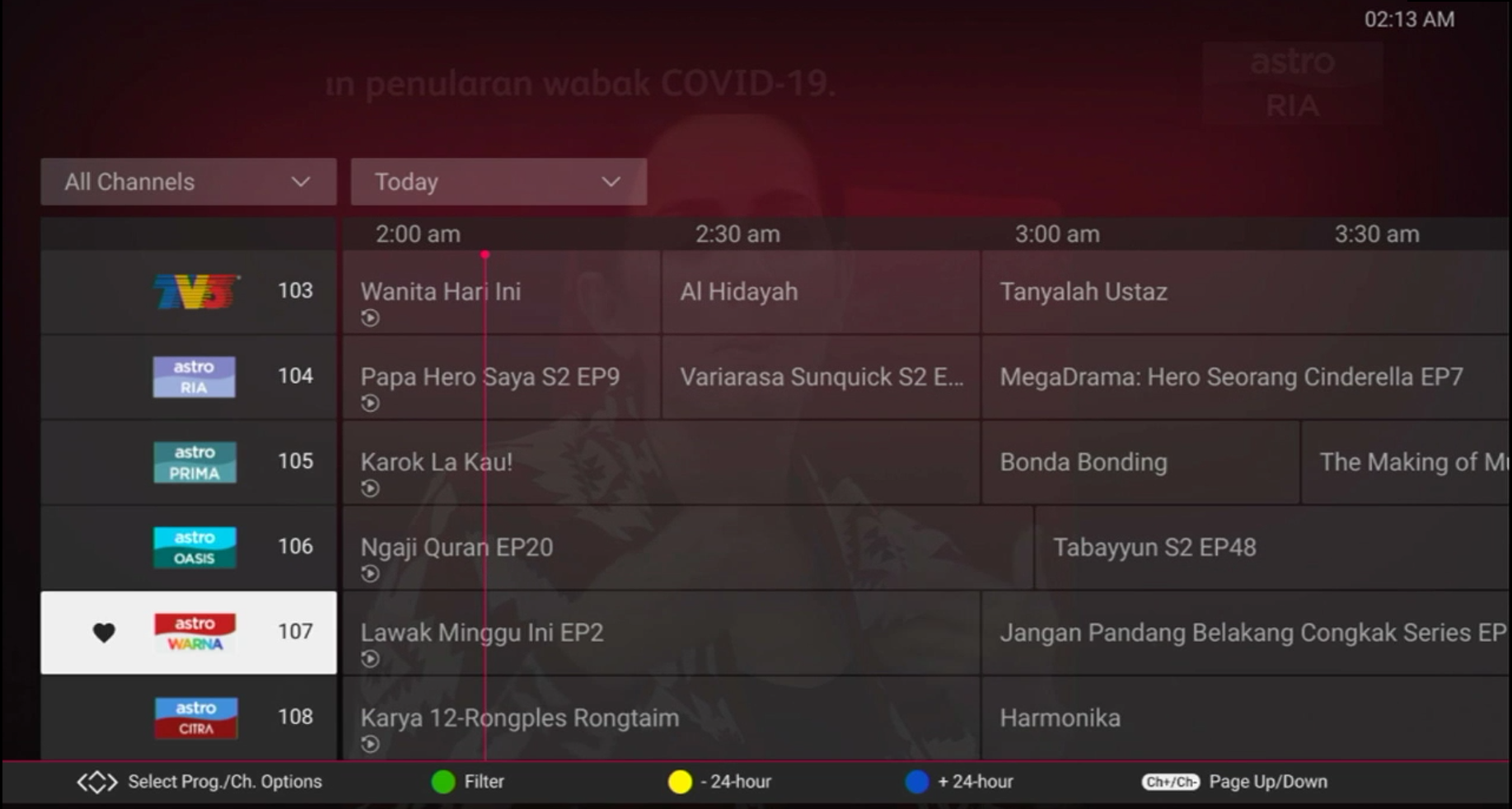
Select the channel you would like to remove as favourite and press "OK".
STEP 3
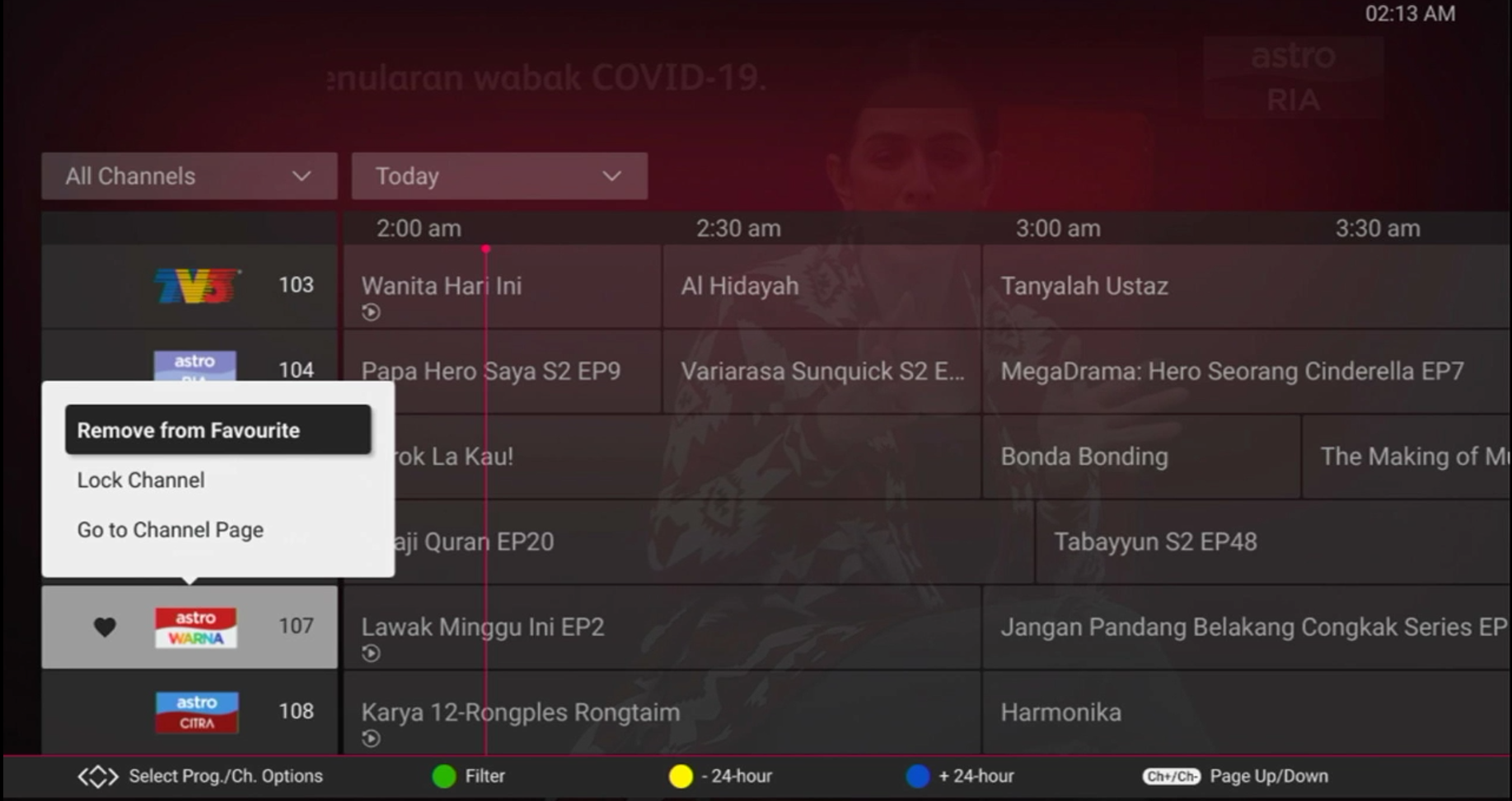
Select "Remove from Favourite" and press "OK".
STEP 4
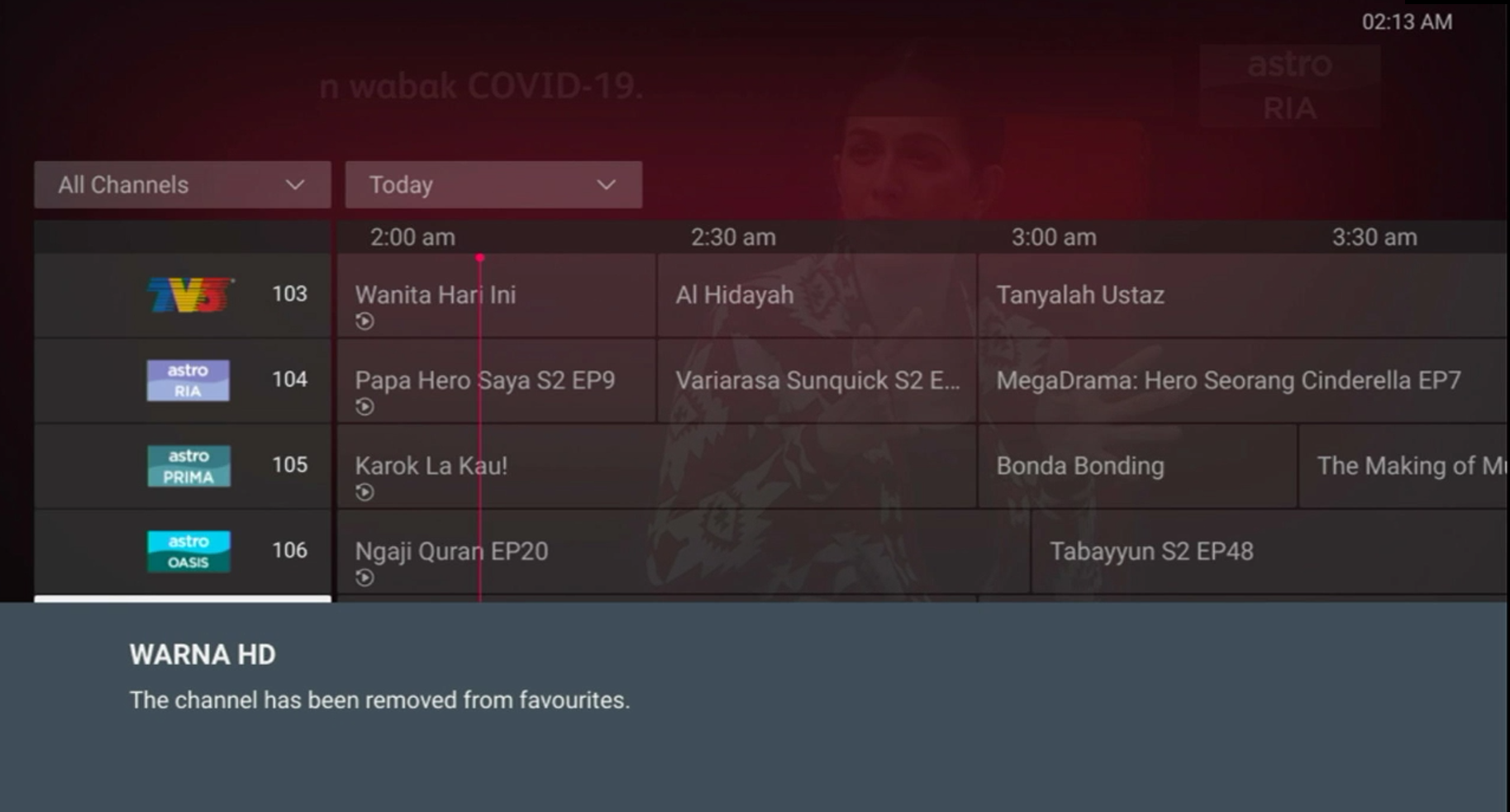
You are successfully removed the channel from favourite list when this screen appears.
Similar Articles

