


 Track
Track
 Login
Login


What happens if I do not receive any SecureGo notification alert to authorise transactions or if my phone freezes?
Ensure that your push notification is enabled for My Astro app for a smooth transaction authorisation process or follow these steps if you still don't receive the alerts:
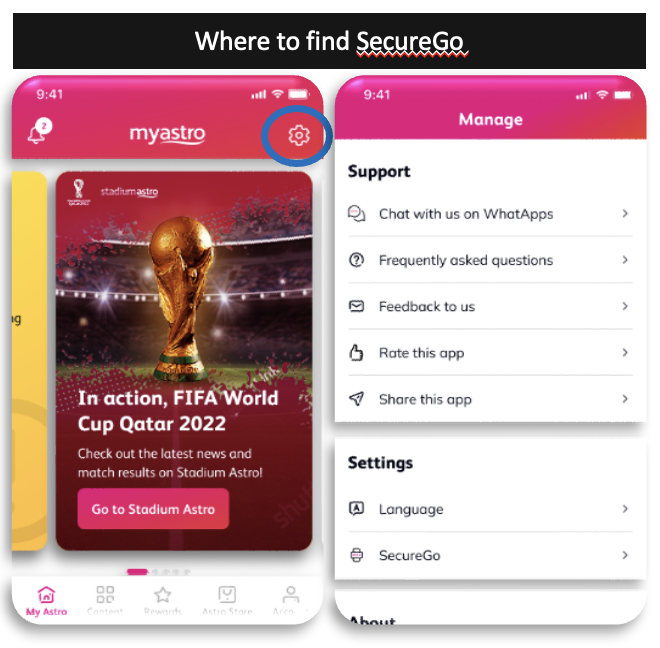
Launch the My Astro app, tap the gear icon on top right of the screen to go to Manage. Under Settings, tap on SecureGo.
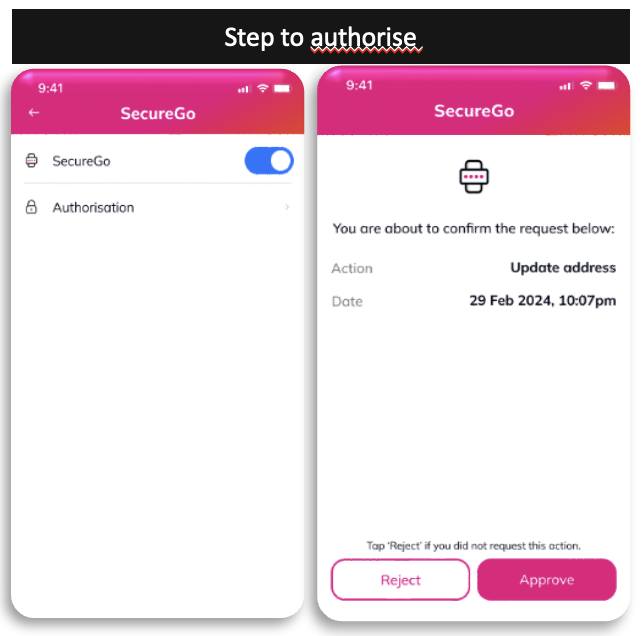
Tap on Authorisation and you will be able to see pending transaction details .
Similar Articles

