


 Track
Track
 Login
Login


Change menu language and subtitles - HD enabled Box
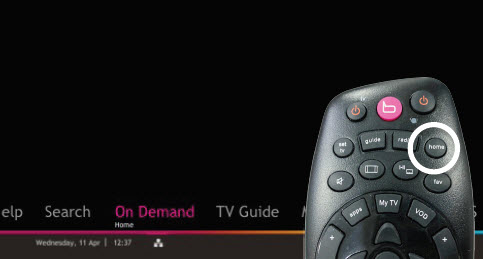
STEP 1
Press "HOME" button on your remote control.
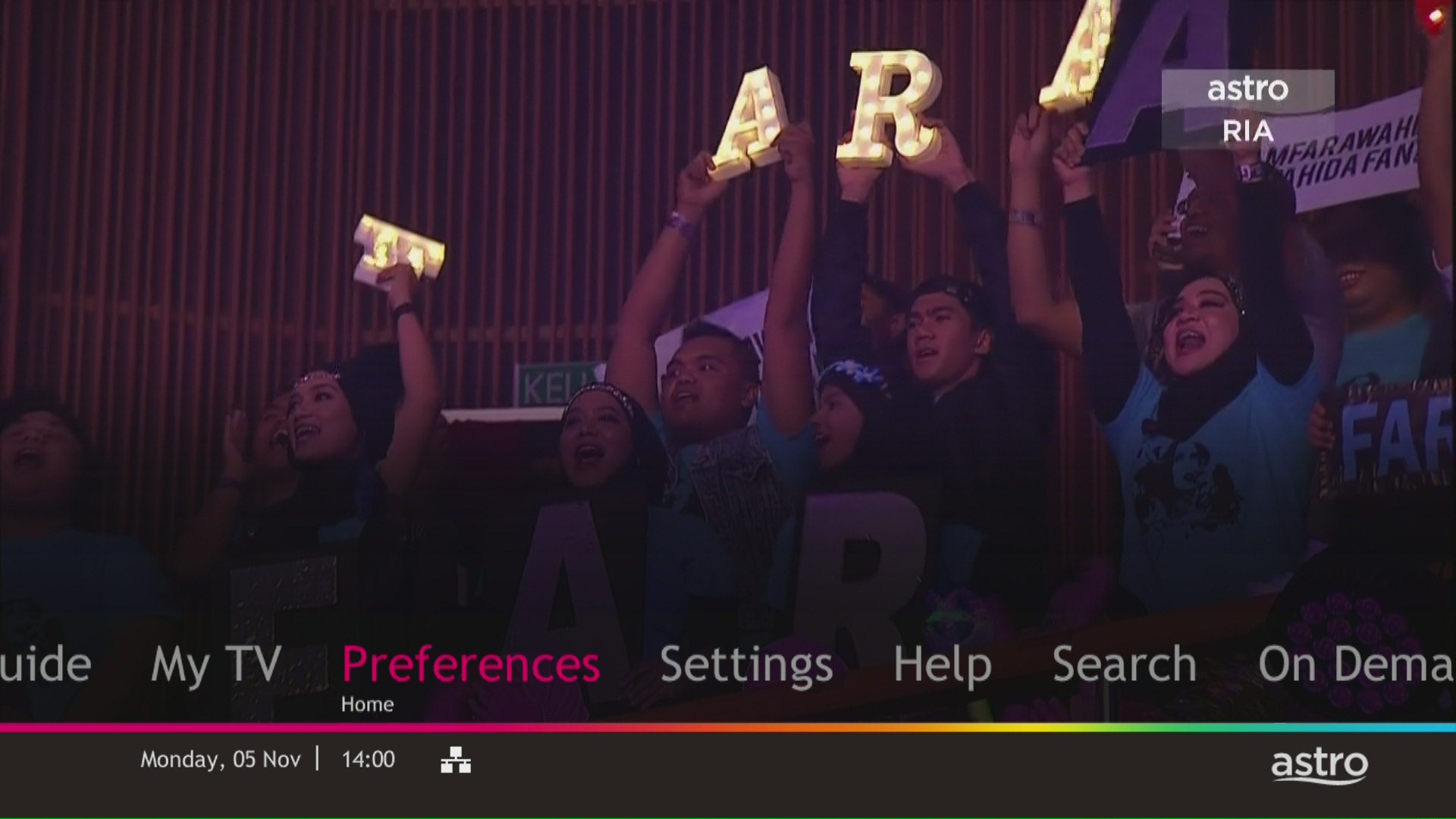
STEP 2
Navigate to Preferences and press "OK".
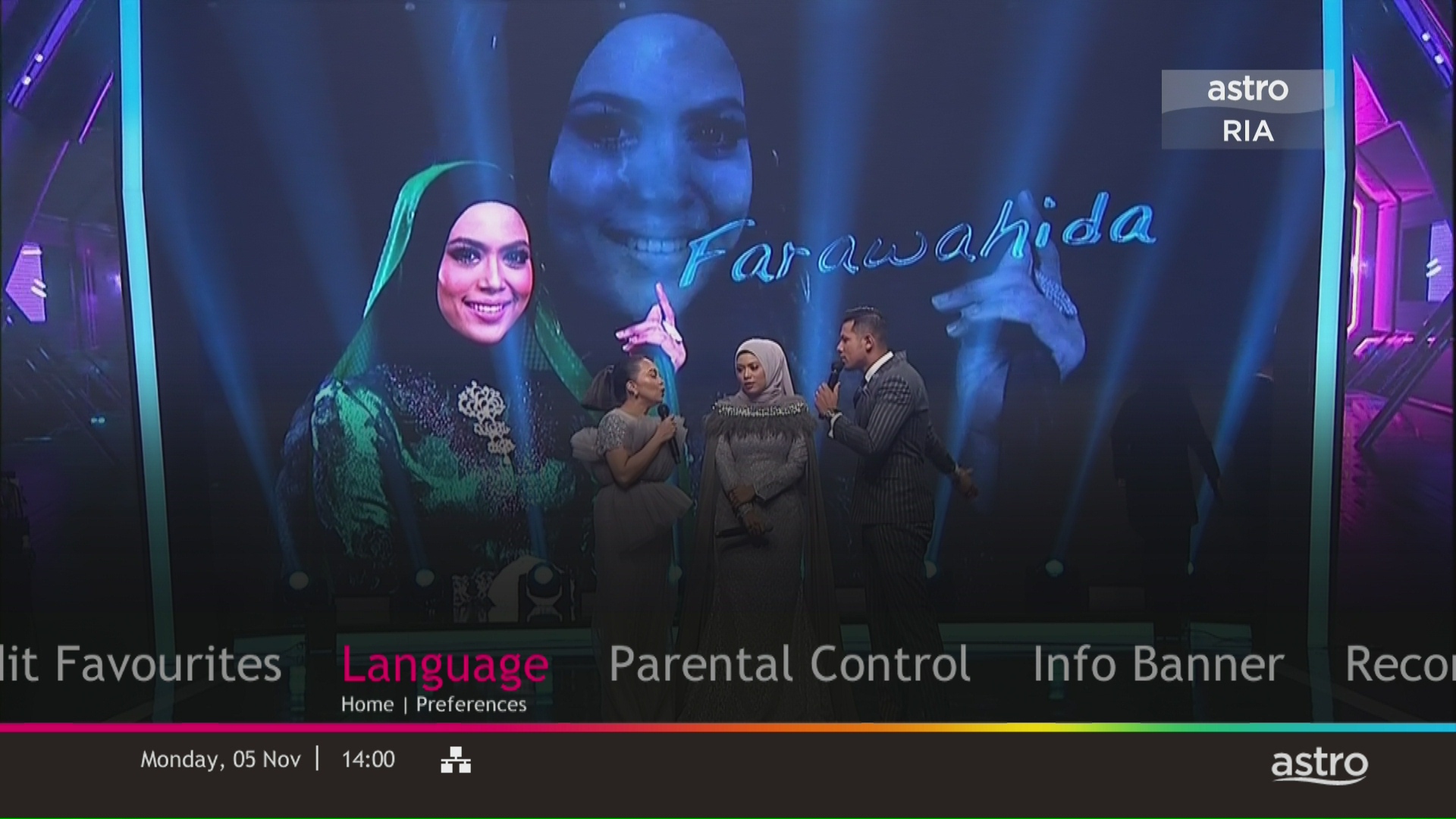
STEP 3
Navigate to Language and press "OK".
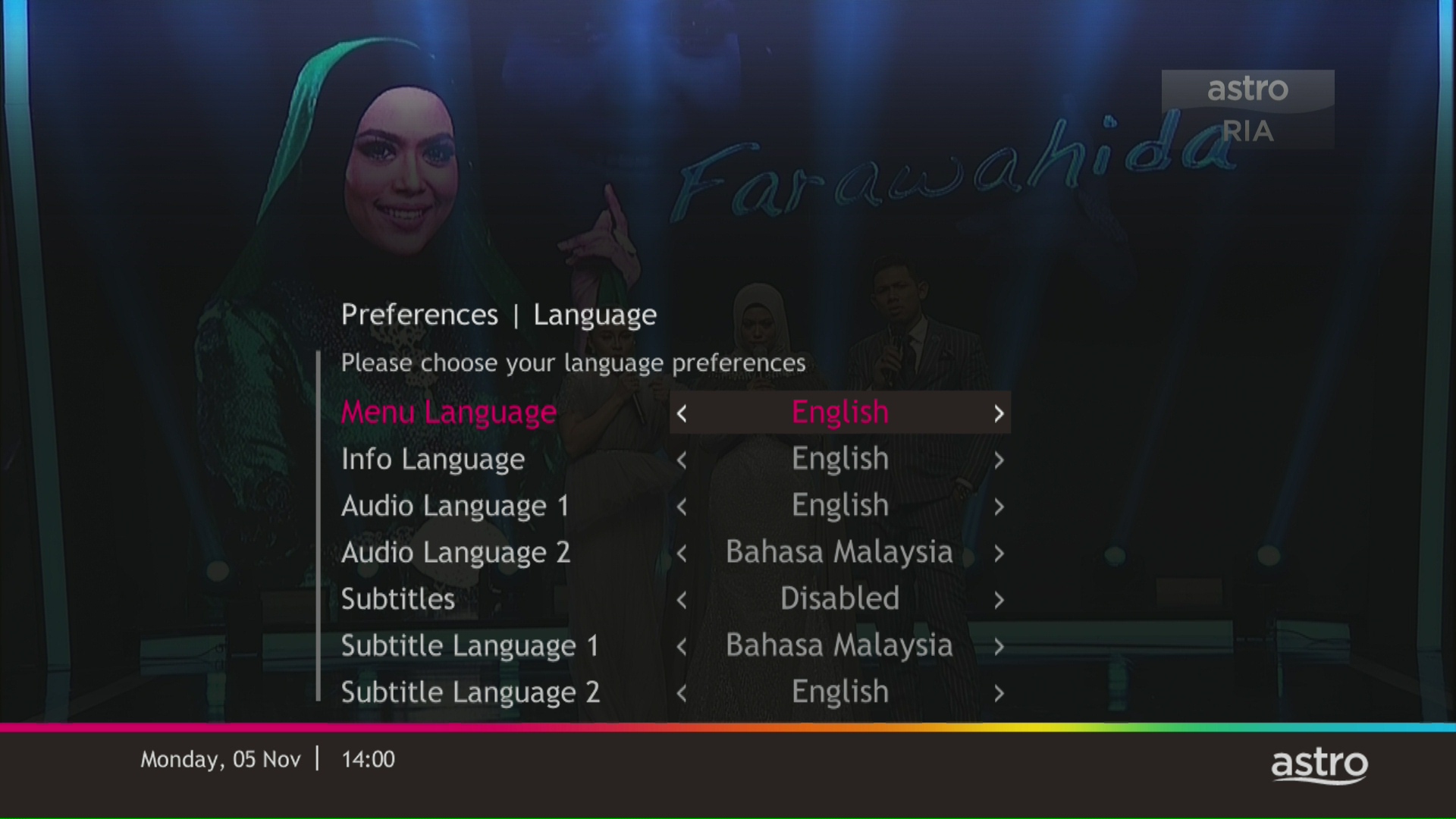
STEP 4
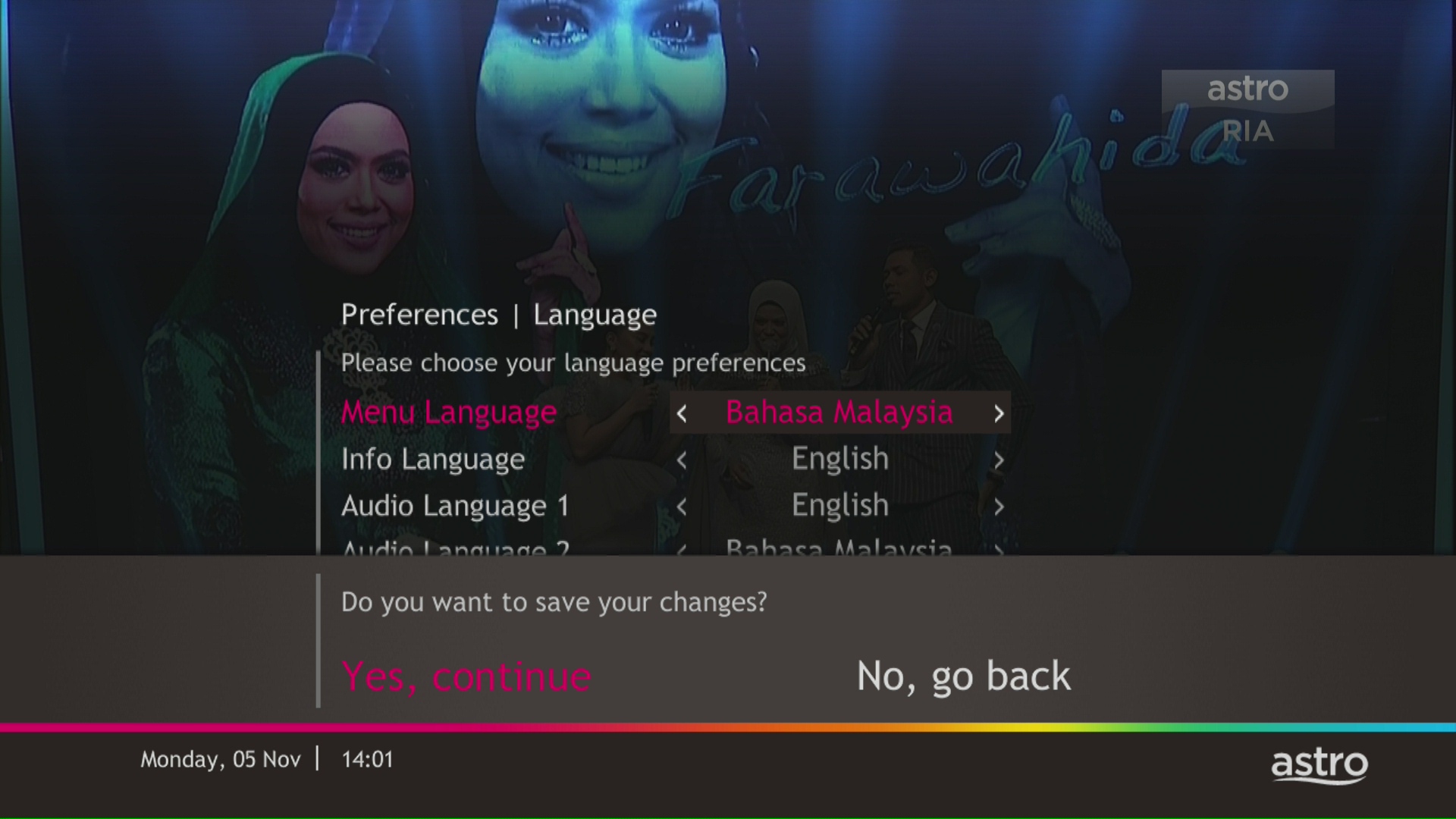
Choose your language preferences and press "OK".
STEP 5
Select Yes, continue and press "OK" to confirm on the changes.
Otherwise, select No, go back to cancel.
Similar Articles

