


 Track
Track
 Login
Login


How do I change my password?
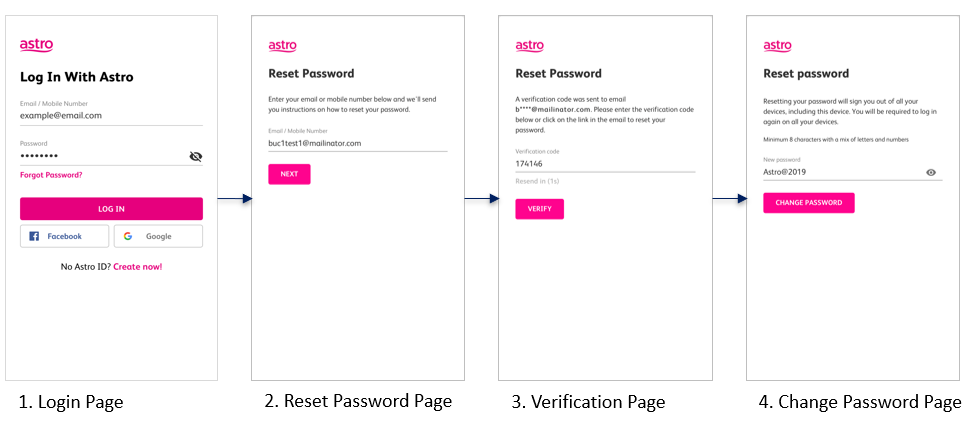
To change your password, you may use the ‘forgot password’ recovery feature on the login page. Just enter the email address/ mobile number you signed up with and we will send you a recovery email.
Alternatively, you may also change your password or manage your account details by logging on to www.astro.com.my, click My Account, then proceed to Log in.
FORGOT / RESET PASSWORD (EMAIL ADDRESS)
FORGOT / RESET PASSWORD (MOBILE NUMBER)
Similar Articles

