


 Track
Track
 Login
Login


How do I activate my 2 months access to Prime Video at no additional cost?
If your Ultra/Ulti box is the primary (main) box and have not activated your Prime Video account, you can now activate and access Prime Video anytime between 24 April 2025 – 23 June 2025 via the below steps using either the Ultra/Ulti Box, https://product.astro.com.my/apps/primevideo or My Astro App.
If your current primary box is an older model, don’t worry — just contact us within the offer period to upgrade to an Ultra or Ulti Box and enjoy 2 months of access to Prime Video at no additional charge.
a. Via Ultra/Ulti Box
Step 1: Launch Prime Video from application rail (under HOME page)

Step 2:
Scan the QR Code on your Ultra Box/Ulti Box using your mobile phone
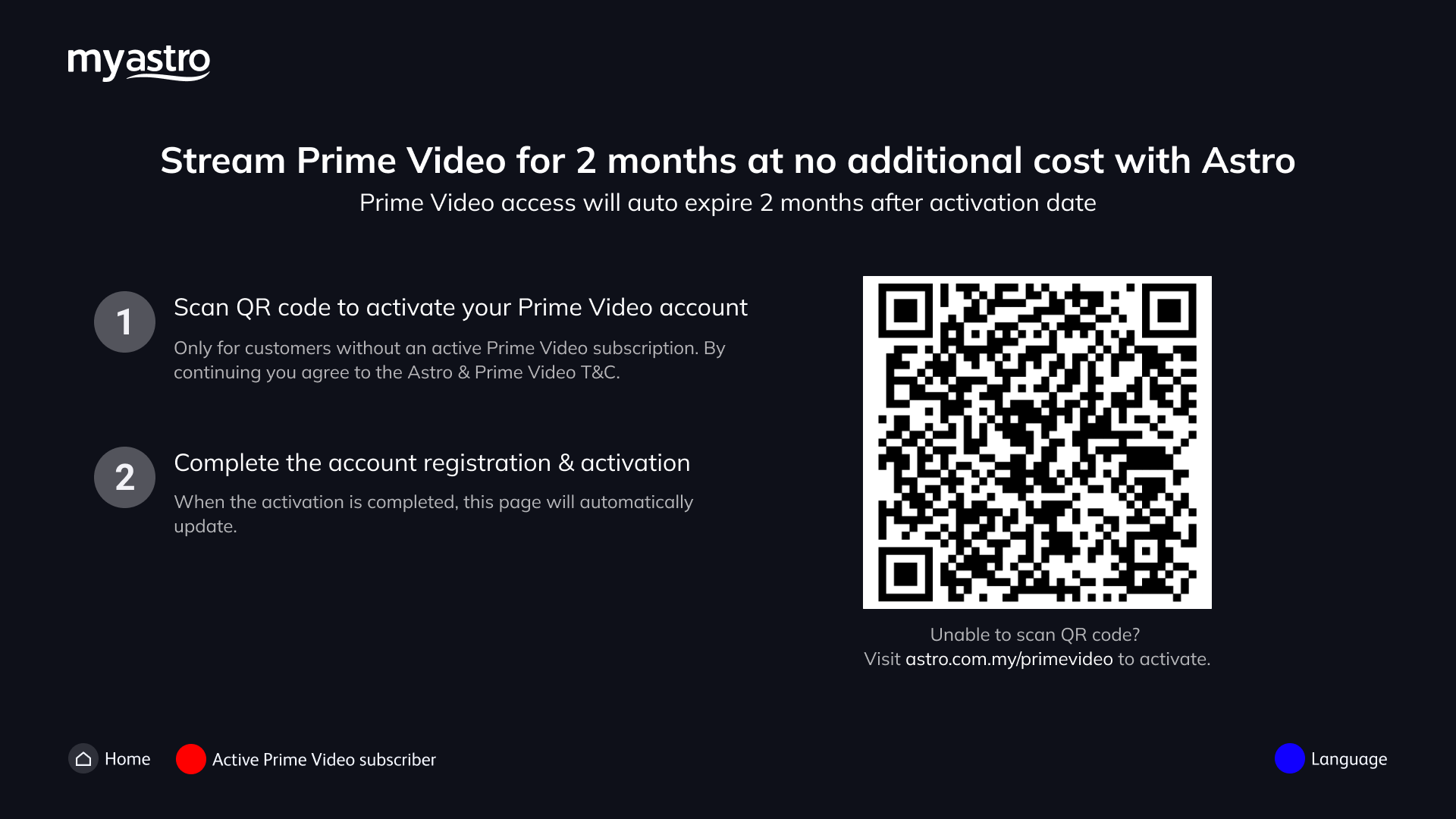
Step 3:
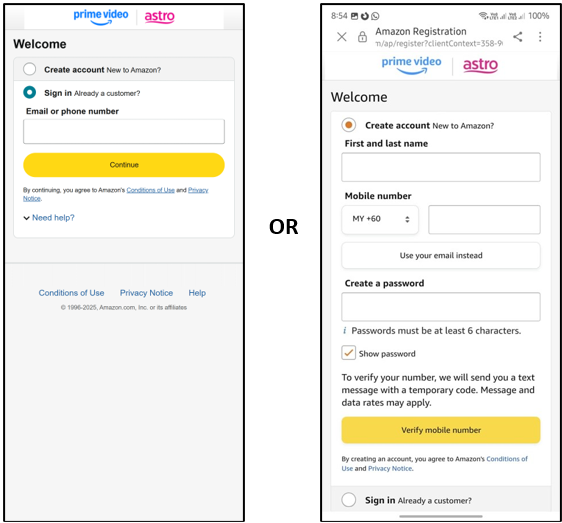
Once you are redirected to the Prime Video app, sign-in or create to Amazon Prime account using a mobile number or email address as instructed.
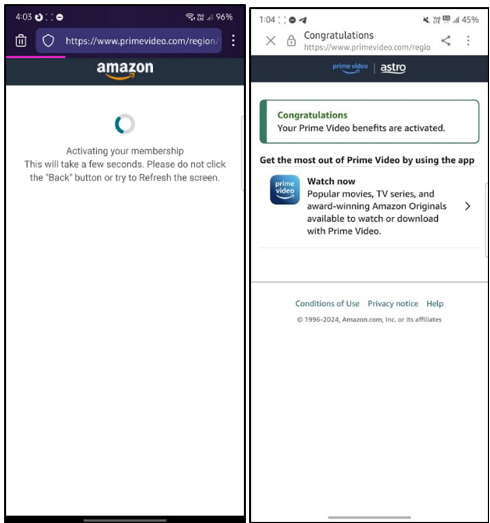
Step 4: Now that you have activated Prime Video, your screen on your Ultra Box/Ulti Box should be refreshed as below.
Step 5: Click on Proceed and then the “Sign in” button.
Step 6: Pair your Ultra Box/Ulti Box by scanning the QR Code.
Step 7: Enter your credentials on either a mobile browser or open the Prime Video app on your mobile device, and then click "Allow".
b. Via Astro Website https://product.astro.com.my/apps/primevideo
Step 1: Visit https://product.astro.com.my/apps/primevideo and click on "Activate Prime Video Now" and log in using your Astro ID and follow the steps
Step 2:
Once you are redirected to the Prime Video app, sign-in or create to Amazon Prime account using a mobile number or email address as instructed.
Step 3: Launch Prime Video from application rail on your Ultra Box/Ulti Box by clicking on “Red Button” in your remote.
Step 4: Click on the “Sign in” button.
Step 5: Pair your Ultra Box/Ulti Box by scanning the QR Code.
Step 6: Enter your credentials on either a mobile browser or open the Prime Video app on your mobile device, and then click "Allow".
Step 7: Enjoy!
c. Via My Astro app
Step 1: Download the My Astro app from the Apple App Store, Google Play Store, or Huawei AppGallery.
Step 2: Go to Account > Apps > Choose Prime Video 2 months access and Click on “Activate now”.
Step 3: Once you are redirected to the Prime Video app, sign-in or create to Amazon Prime account using a mobile number or email address as instructed.
Step 4: Launch Prime Video from application rail on your Ultra Box/Ulti Box by clicking on “Red Button” in your remote.
Step 5: Click on the “Sign in” button.
Step 6: Pair your Ultra Box/Ulti Box by scanning the QR Code.
Step 7: Enter your credentials on either a mobile browser or open the Prime Video app on your mobile device, and then click "Allow".
Step 8: Enjoy!
d. Prime Video Activation on Email
Step 1: Open the Prime Video activation email and click on the Prime Video icon
Step 2: Sign-in or create Amazon Prime account using a mobile number or email address as instructed.
Step 3: Your Prime Video subscription is successfully activated when you can see the below screens.
Step 4: Sign in to Prime Video and enjoy!
e. Prime Video2 months access Activation on WhatsApp
Step 1: Open the Prime Video activation WhatsApp message and click on the activation link
Step 2: Sign-in or create Amazon Prime account using a mobile number or email address as instructed.
Step 3: Your Prime Video subscription is successfully activated when you can see the below
Step 4: Sign in to Prime Video and enjoy!
Similar Articles

