


 Track
Track
 Login
Login


All Services Not Available (Broadband & Astro) - Maxis

Huawei HG8240


Huawei HG850A

FIBER HOME


ALCATEL LUCENT


HUAWEI

ZTE

Option 1
1. Please turn off all devices (Modem and Router). By restarting your modem, you can isolate the possibility of overloaded processes in the modem, which would impact its performance.
2. Ensure the fiber cable from your wall socket and modem is securely connected.
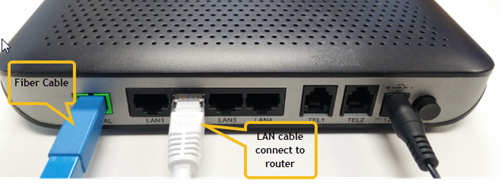
Modem connection with Fiber Cable
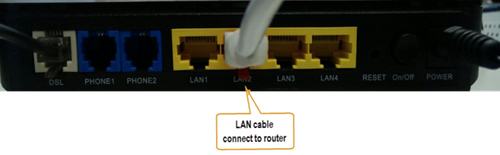
Modem connection with Copper Cable
Notes: You might be connected to LAN 1 if backbone is Maxis
Router connection
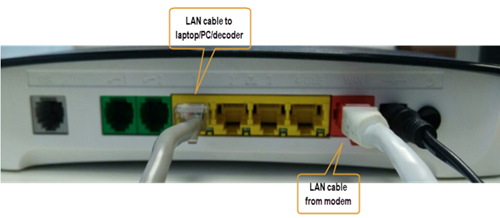
Technicolor Router
3. Please make sure the LAN cable is connected properly from router (Port 1-4 - Yellow port) to PC/Laptop.
4. If the issue persists, submit your feedback form and attach your modem light indicator picture/video for further assistance.
Option 2/ Option 3/ Option 5/ Option 6
1. Please turn off all devices (Modem and Router). By restarting your modem, you can isolate the possibility of overloaded processes in the modem, which would impact its performance.
2. Ensure the fiber cable from your wall socket and modem is securely connected.
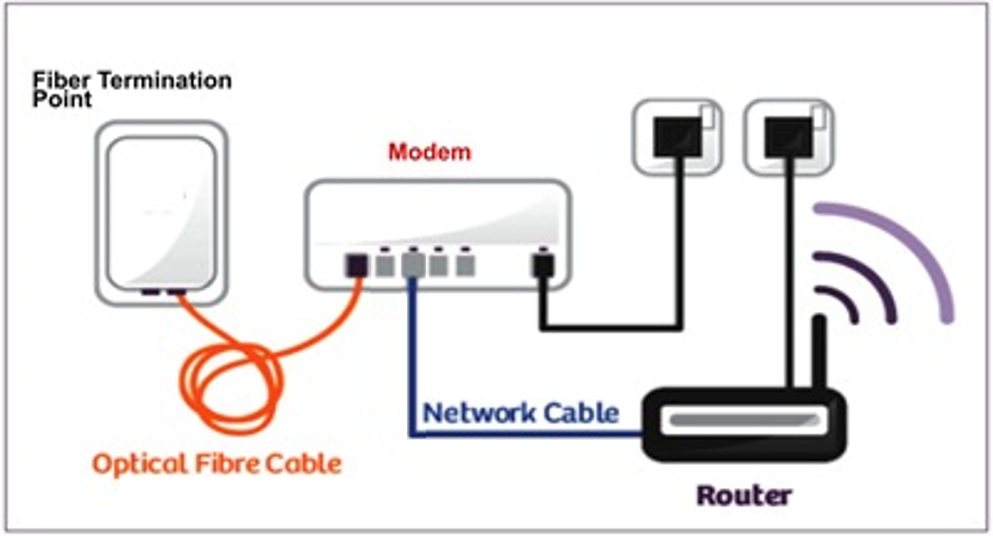
3. Ensure both cables on the Modem (LAN Port 2) and Router (WAN Port - Red port) are properly connected.
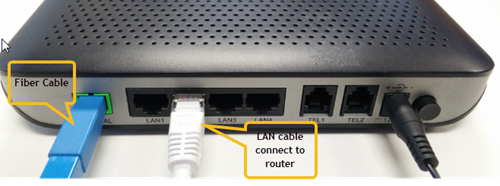
Modem connection with Fiber Cable
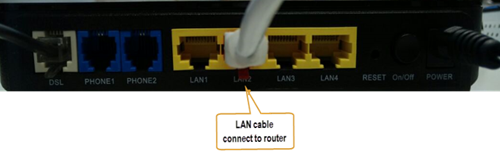
Modem connection with Copper Cable
Notes: You might be connected to LAN 1 if backbone is Maxis
Router connection
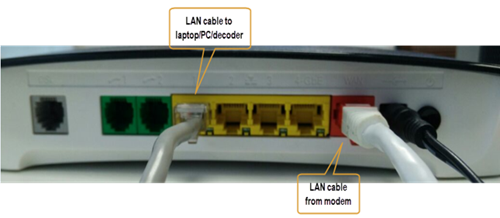
Technicolor Router
4. Please make sure the LAN cable is connected properly from router (Port 1-4 - Yellow port) to PC/Laptop.
5. Please make sure both cables on Router (Any Yellow port) and Astro Decoder (Network Port behind decoder) are properly inserted.
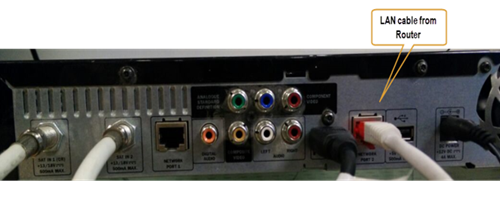
DMT4 (Hybrid mode)
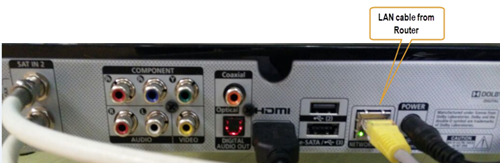
DMT5 (Hybrid mode)
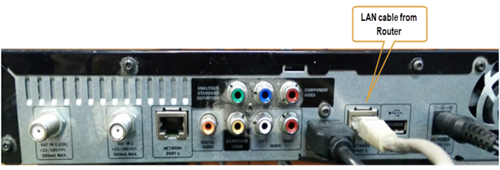
DMT4 (IP mode)
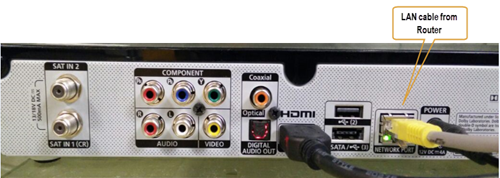
DMT5 (IP mode)
6. Switch on modem and router and please wait for 2 minutes to stabilise the devices after reboot.
7. If the issue persists, submit your feedback form and attach your modem light indicator picture/video for further assistance.
Option 4
1. Ensure Modem/Router are connected tightly to the power socket.

2. Try to use another power socket / power source to eliminate faulty power sockets/power sources which could cause the issue.
3. If the issue persists, submit your feedback form for further assistance.
Similar Articles

